
Introduction
Most people who ask what a CMS is already have a website, or they’re about to build one. They’ve heard the term from a developer, an agency, or a friend who dabbles in web stuff and they nodded along without really knowing what it meant.
That’s fine. It’s one of those terms that gets used constantly but rarely explained well. Either the explanation is buried in technical documentation, or it’s so dumbed down that you still don’t know what to actually do with the information.
This guide is neither. It’s written for people who need to make real decisions about platforms, budgets, vendors, or whether to rebuild at all. By the end, you’ll know what a CMS is, how it works, what the real options look like, and how to avoid the mistakes that waste the most time and money.
What Does CMS Mean?
CMS stands for Content Management System. Strip away the jargon and what you have is software that lets non technical people manage content on a website without ever touching code.
Before CMS platforms became standard, updating a website meant opening files, editing HTML, and redeploying. Every change went through a developer. A typo fix, a new staff member on the About page, a seasonal banner all of it required a ticket and a wait. That was normal, and it was genuinely painful for anyone on the business side trying to move quickly.
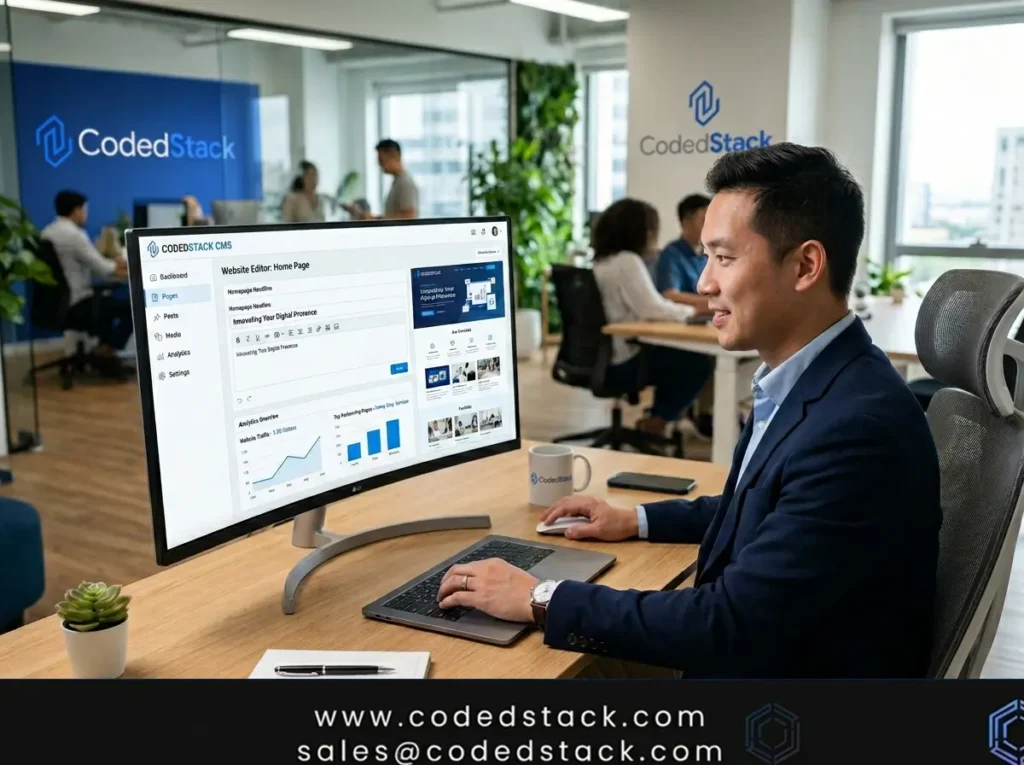
A CMS changes that by separating two things that used to be bundled together: the content itself, and the code that displays it. The CMS handles the code side automatically. You work in a dashboard something closer to a Google Doc than a code editor and the system figures out how to present what you write.
That’s the core idea. Everything else is just details about how different platforms implement it.
What Is a CMS With Example?
The clearest way to understand it is to look at real platforms people actually use.
WordPress is the most widely deployed CMS in the world. It started as blogging software in 2003 and gradually became the default choice for business websites, news publications, portfolios, and smaller ecommerce stores. Most people who’ve ever managed a website have touched it.
Shopify is a CMS built specifically around selling. It handles products, inventory, checkout, shipping integrations, and discount logic. If your primary goal is ecommerce, Shopify is designed around that workflow in a way that general purpose CMS platforms aren’t.
Drupal is open source and significantly more flexible than WordPress at the architectural level. It’s used heavily by government agencies, universities, and large organizations where content relationships are complex and access control needs to be very precise. The tradeoff is that it has a steeper learning curve.
Contentful takes a fundamentally different approach. Rather than giving you a website out of the box, it stores your content and delivers it through an API. Developers build the front end separately in whatever technology they prefer and pull content from Contentful into it. This makes it useful when you’re publishing the same content across a website, a mobile app, and other channels simultaneously.
Sitecore sits at the enterprise end of the market. It’s less of a CMS in the traditional sense and more of a full digital experience platform; it handles personalization, A/B testing, analytics, and multichannel publishing under one roof. Large organizations use it when they need those capabilities integrated rather than stitched together from separate tools.
Wix and Squarespace are what most people think of when they hear about website builders. They’re simplified CMS platforms with visual editors that require no technical knowledge at all. They’re fine for getting something live quickly, but they cap out early if your needs grow beyond the basics.
How Does a CMS Work?
Every CMS regardless of platform is doing a few core things behind the scenes.
The dashboard is where content editors spend their time. It’s the interface for writing pages, publishing posts, uploading images, managing menus, and adjusting settings. In WordPress this is the wp-admin area. In Contentful it’s a structured content editor with defined fields. The specific design varies, but the purpose is the same: give non developers a place to do their work.
The database is where content actually lives. When someone visits a page on your site, the CMS queries the database for the right content, combines it with the appropriate template, and sends a finished page to the browser. You never see this happening, it’s all automatic, and on a properly configured server it takes milliseconds.
Templates determine how content is presented. Write a product description, and the template decides where the title goes, where the image appears, how the price is formatted. You’re not redesigning the page every time you add content. The template does that work once, and then applies it consistently across every piece of content that uses it.
Plugins and extensions fill in the gaps. Most CMS platforms let you add functionality without writing custom code contact forms, SEO tools, analytics integrations, payment gateways, membership systems. This is one of the main reasons WordPress has stayed dominant for so long: the plugin ecosystem is enormous, and most things you’d want to add have already been built by someone.
User roles control what different people can do inside the system. Writers can draft content. Editors can approve and publish it. Admins can change settings and install plugins. For teams larger than one or two people, this keeps things organized and reduces the chance of someone accidentally breaking something they didn’t mean to touch.
Why Businesses Use CMS Platforms
The practical reason most businesses move to a CMS is simple: they get tired of waiting on developers for things that should take five minutes.
That’s not a criticism of developers, it’s just a reality of how content heavy websites used to work. Every update, however small, was a development task. Over time, that creates a real bottleneck. Marketing slows down because getting content live is a process. Seasonal updates happen late. Product information sits outdated while a ticket works its way through a queue.
A well implemented CMS removes that bottleneck for routine work. The marketing team can publish a blog post without filing a request. The product team can update pricing without a release cycle. The support team can fix a broken FAQ page the same afternoon someone notices it’s wrong.
Beyond day to day publishing speed, a CMS also enforces consistency. Because everyone works within the same templates, the site doesn’t slowly drift into visual chaos as different people update different sections over time. The design stays coherent even when ten people are contributing content.
There’s also a compounding effect on content output. When publishing is frictionless, teams publish more. More content generally means more organic traffic, more indexed pages, more opportunities for search visibility. It’s not glamorous, but it’s real.
CMS vs Custom Website Development
This is where most of the confusion lives and where the most expensive mistakes tend to happen.
A CMS gives you a working framework from day one. A custom built website starts from scratch. Both are legitimate approaches, but they suit different situations, and the wrong choice is costly in both directions.
When a CMS is the right call
If your website has a fairly conventional structure, service pages, a blog, a contact form, maybe a product catalog a CMS will handle it cleanly. The infrastructure is already built. What you’re paying for is configuration, design, and content architecture, not reinventing things that already exist. Good cms website development services can take a business from nothing to launch in a matter of weeks, not months, precisely because the foundation is already there.
This covers more ground than people assume. The majority of business websites, even moderately complex ones fall comfortably within what WordPress, Craft, or a similar platform can handle well.
When custom development makes sense
The case for custom shifts when the requirements are genuinely unusual. Now we have a lot of content unusually most CMS platforms handle scale fine. The real trigger is when your workflows, content logic, or user roles don’t map cleanly onto what existing platforms offer.
A membership platform where content access changes based on subscription tier, usage history, and account type is genuinely hard to build cleanly on a standard CMS. A large B2B catalog with product relationships, region specific pricing, and complex filtering requirements can hit real limits. Internal publishing tools for regulated industries often have security and audit requirements that don’t fit neatly into off the shelf software.
Those are situations where starting from scratch or building on a minimal framework and adding exactly what you need ends up being cleaner than fighting an existing system into doing something it wasn’t designed for.
The mistake I see most often isn’t choosing the wrong platform, it’s not being honest about which category you’re actually in.
What Is a Custom CMS?
A custom CMS is a content management system built around how your specific business works, rather than adapting your business to fit a platform’s assumptions.
This isn’t the same as a custom designed WordPress site. That’s still WordPress. It has the same underlying architecture, the same database structure, the same plugin system. A genuinely custom CMS is built from the ground up, usually by a development team that specializes in this kind of work.
Hiring a custom cms development company makes sense in a narrower set of situations than most people assume. The most common ones:
Member and subscriber portals where content visibility is tied to account status, purchase history, or custom user attributes. Standard CMS platforms can approximate this with plugins, but it tends to get messy and brittle at scale.
High volume product catalogs with attributes that don’t fit standard ecommerce data models. A clothing brand might need size/color combinations. An industrial supplier might need compatibility matrices across thousands of SKUs. A food company might need nutritional data, allergen flags, and regional ingredient variants all linked to the same product record.
Internal tools and intranets where content workflow needs to integrate with existing enterprise systems, follow specific approval chains, or meet compliance requirements that cloud SaaS platforms don’t accommodate.
Multilingual, multi region publishing at scale, where translation workflows, regional legal requirements, and brand governance rules combine into something too specific for a general purpose platform to handle cleanly.
One thing worth saying directly: custom builds carry real long term costs. You own the system. Security updates, bug fixes, new feature development all of that falls to you or your development partner. That’s not a reason to avoid custom development when you genuinely need it. But it’s a reason to be sure you actually do before committing.
Popular CMS Platforms Compared in 2026
WordPress Still the default for most business websites, and for good reason. The combination of a mature plugin ecosystem, enormous talent pool, and flexible theme system means you can build almost anything on it at a wide range of budgets. WordPress cms development services are widely available, which keeps costs competitive. The weak points are performance at scale (manageable but requires deliberate configuration) and security hygiene (lots of outdated plugins in the wild create vulnerabilities).
Drupal The platform of choice for organizations with genuinely complex content requirements. Government sites, university portals, large news organizations Drupal handles content relationships and access controls that would require serious workarounds elsewhere. Working with a drupal cms development company is typically a longer, more specialized engagement than a WordPress project, and the editorial experience isn’t as polished. But for the right use case, the flexibility is hard to match.
Contentful Where Contentful earns its place is multi channel content delivery. One content library, served via API to a website, a mobile app, an in store display, whatever else. The editorial interface is clean and well suited to structured content. The limitation is that there’s no frontend including you’re buying content infrastructure, not a website. A contentful cms development company engagement will always involve a separate frontend build alongside it.
Craft CMS Genuinely one of the best cms for developers who care about content architecture. The field layout system lets you model content exactly the way you want it, without compromising. Agencies tend to love it for client work because the editorial experience is clean enough that clients actually use it. A craft cms development company will typically produce tighter, more maintainable codebases than equivalent WordPress projects. The ecosystem is smaller than WordPress, which means some things require custom code rather than a plugin, but for many teams that’s a worthwhile trade.
Sitecore: A different category entirely. Sitecore is a digital experience platform that includes the CMS, but also personalization, analytics, marketing automation, and multichannel delivery. A Sitecore cms development company engagement is a significant undertaking, and the platform requires a dedicated team to get real value from. For large enterprises with the budget and internal capacity, it’s genuinely powerful. For organizations that are drawn to the brand but not in that tier, it tends to be an expensive lesson.
Sanity and Strapi Both have gained serious traction as the best headless cms for developers 2026 conversations have evolved. Sanity’s real time collaborative editing and highly flexible content schemas make it a strong choice for editorial teams with complex content needs. Strapi’s appeal is self hosting open source, runs on your infrastructure, no vendor dependency. Custom headless cms development on either platform gives development teams real control over the stack.
What CMS Web Developers Actually Do
The variation in what agencies charge for CMS work is wide enough that clients often don’t know what they’re comparing. Part of that is genuine quality differences. Part of it is scope. Understanding what’s actually involved helps you evaluate proposals more accurately.
Content modeling is usually the most undervalued part of the process. Before a line of code gets written, someone needs to decide how your content is structured, what content types exist, what fields each one has, how they relate to each other. A product page relates to categories, which relate to navigation, which relates to SEO fields, which might relate to promotional content. Getting this right upfront prevents painful restructuring later. Getting it wrong is expensive.
Theme and template development is the design to code translation. A developer takes the visual design and builds it into templates the CMS can use. This isn’t just making it look right, it’s making it perform well, work across browsers and screen sizes, load quickly, and degrade gracefully when something goes wrong.
Integration work is where cms web developers often spend more time than clients expect. Connecting the CMS to a CRM, a marketing automation platform, an inventory system, a booking engine, or a payment gateway each integration has its own complexity. Off the shelf plugins handle the common cases. Anything non standard gets built.
Performance configuration matters more than most clients realize until something goes wrong. Caching, image optimization, database indexing, CDN setup aren’t glamorous, but they’re the difference between a site that loads in 1.2 seconds and one that loads in 4.8 seconds. That difference has a direct impact on both search rankings and conversion rates.
Handoff and training closes the loop. A CMS that the team doesn’t know how to use is a failed project regardless of how well it was built. Good developers document what they’ve built, train the people who will use it, and make sure the editorial workflows make sense to real humans, not just to the person who designed the system.
Common CMS Mistakes to Avoid
Picking the platform before understanding the requirements. This happens constantly. A business chooses WordPress because it’s familiar, or Sitecore because a competitor uses it, or a headless setup because it sounds modern before anyone has mapped out what the site actually needs to do. Platform selection should be the output of a requirements conversation, not the starting point of one.
Confusing enterprise with better. Larger, more expensive platforms aren’t inherently superior. They’re suited to specific types of organizations with specific needs. A 30 person company with a content team of two doesn’t need the same infrastructure as a multinational corporation. I’ve seen companies commit to six figure platform implementations and spend the first year discovering they’re using 15% of what they paid for.
Underestimating migration. If you’re moving an existing site to a new CMS, the content migration is almost always harder and slower than projected. Old content is usually messier than anyone remembers. URLs need to be mapped carefully to preserve search rankings. Images need to be reformatted. Metadata needs to be reconstructed. Plan for it properly not as an afterthought on the last week before launch.
Building for a scale you don’t have yet. Over engineering is a real cost. A startup that spends four months building custom headless cms development infrastructure because they might eventually need it has spent four months not being live. Build for where you are, with a clear path to where you’re going.
Ignoring who’s actually going to use it. The person who evaluates CMS platforms is rarely the person who uses it every day. A system that impresses a technical evaluator but frustrates a content editor is a problem that compounds over time. Before committing to a platform, have the people who will publish content actually try publishing content in it.
How to Choose the Right CMS for Your Business
Rather than a formula, here are the questions that tend to cut through the noise.
Who is managing content, and how technical are they?
This single question eliminates a lot of options. A non technical marketing team working independently needs something with a clean, intuitive editorial interface WordPress or Craft, configured well, typically fit. A technical team that wants to build custom frontends has more options and different priorities.
Are you publishing to one channel or several?
One website: traditional CMS works fine. Website plus mobile app plus third party platforms: the API first architecture of headless cms application development starts making real sense, because you’re managing content once and delivering it everywhere.
How unusual is your content structure?
Standard pages, posts, and products fit within what every major CMS handles out of the box. The moment you start describing content that has complex relationships, conditional display logic, or data attributes that don’t map to standard fields you’re in territory where the platform choice matters more and custom development becomes more relevant.
What does maintenance look like realistically?
Self hosted platforms give you control and cost less in licensing, but they require active maintenance. SaaS platforms handle infrastructure for you in exchange for a subscription. Neither is universally better. The right answer depends on whether you have someone to do the maintenance work, and whether that’s the best use of their time.
Where will you be in three years?
Some teams like the developers at CodedStack work through this with clients before recommending anything, mapping out anticipated content growth, team size, and feature requirements over a realistic time horizon. It’s the difference between choosing a platform that fits today and one that fits next year too, which is a more useful question.
FAQ
What is a CMS with examples?
A content management system is software that lets you build and manage website content without writing code. WordPress is the most common example you log in, write content, hit publish, and it appears on your site. Shopify does the same for ecommerce. Contentful does it through an API, with no built-in frontend. The platform differs; the core idea is the same.
Is WordPress a CMS?
Yes. It’s the most widely used one in the world, running somewhere around 43% of all websites. It started as blogging software but has grown into a general purpose platform that handles business sites, ecommerce, membership communities, and more through its plugin and theme ecosystem.
What is a custom CMS?
A content management system built specifically for your organization rather than adapted from an existing platform. The workflows, content structures, and admin tools are all built to match how you actually work, rather than you adjusting how you work to fit what the platform offers. Businesses that work with a custom cms development company typically have requirements that genuinely don’t fit existing platforms, complex portals, unusual data models, or specific workflow needs.
Which CMS is best for developers?
Craft CMS gets mentioned most consistently among developers who want content modeling flexibility without framework constraints. For headless work, Sanity is the current favourite for structured content, and Strapi for teams that want self hosted open source. There’s no single answer; it depends on the project type, the team’s existing skill set, and what the client needs to manage on their end.
Is headless CMS better than traditional?
Better for some things. If you need to deliver content across multiple channels from a single source, or if your frontend team wants to work in a modern JavaScript framework without CMS constraints, headless makes sense. If you’re building a website and the editorial team needs an integrated experience without developer involvement for every change, a traditional CMS is usually faster to build and easier to maintain.
How much does CMS website development cost?
The range is genuinely wide. A WordPress site using a premium theme can be done for a few thousand dollars. A fully custom designed CMS built whether WordPress, Craft, or headless from an experienced agency typically runs $15,000 to $80,000 depending on complexity. Enterprise platforms like Sitecore involve licensing plus implementation costs that routinely reach six figures. A headless build with a custom frontend sits somewhere in between, depending on scope and who’s doing the work.
What’s the difference between a CMS and a website builder?
Squarespace and Wix are simplified CMS platforms with visual drag and drop interfaces that require no technical knowledge. You can launch something that looks reasonable very quickly. The limitations show up when you want customization that falls outside what the builder supports at that point you’re stuck, whereas a full CMS platform can be extended. The tradeoff is that full CMS platforms require more setup and someone who knows what they’re doing.
Can one CMS handle ecommerce and content?
Yes. WordPress with WooCommerce is the most common example. Shopify handles ecommerce natively and supports content pages reasonably well. At the enterprise level, some brands use a dedicated ecommerce platform for transactions alongside a headless CMS for editorial content, with both feeding into the same frontend but that’s a more complex architecture that only makes sense at a certain scale.
Conclusion
A CMS solves a real problem: it lets the people responsible for a website’s content do their work without depending on developers for every update. That independence is genuinely valuable, and it compounds over time faster publishing, more content, better search visibility, less friction.
The harder question isn’t what a CMS is. It’s which one fits, and whether you need one at all or something more tailored to how your business works.
Most organizations land somewhere straightforward: a well implemented platform from a proven CMS, configured by people who know what they’re doing. Not over engineered, not under built. Teams like CodedStack spend a fair amount of time helping businesses get to that answer without overshooting into complexity they don’t need or undershooting into something they’ll outgrow in eighteen months.
The platform you choose matters. The implementation matters more. And having a clear picture of what you’re actually building before you choose either matters most of all. Read more